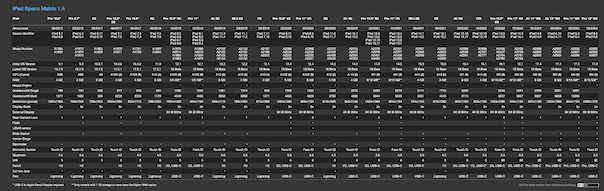
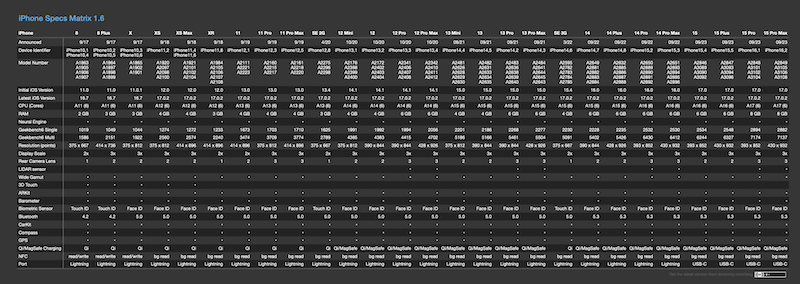
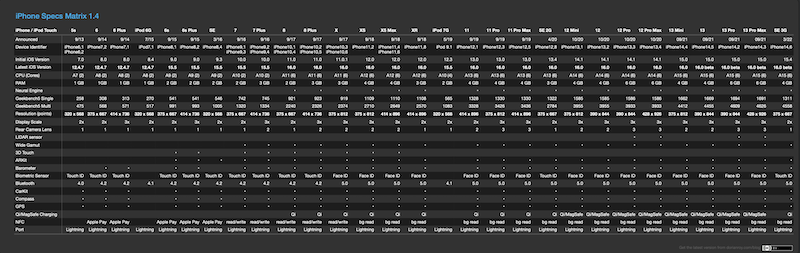
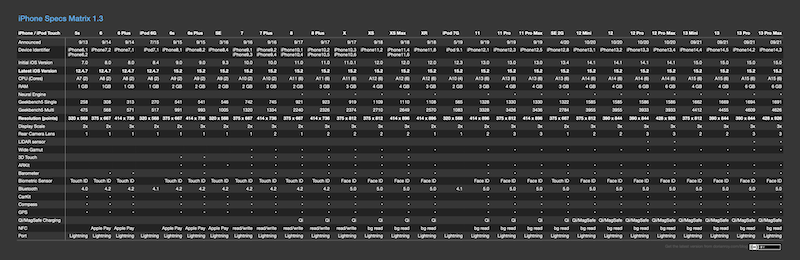
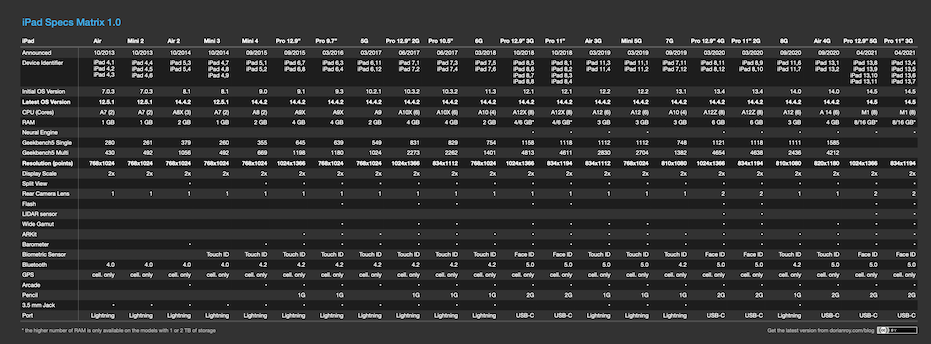
It’s been quite a while since the last update to the specs matrix, and the main reason it took so long is that I was looking for a better way to publish it that would allow me to add new devices and features faster, while at the same time making it more accessible.
So without further ado, here’s the new version!

Since this is now a web-based spreadsheet, you can sort and filter the list. There are two default filters (device type and iOS version) but you can easily add your own filters or search the table with the plus button. The new specs matrix also lives at a fixed URL, so no more juggling different PDF versions 🙂 You can still print or export the data right from the menu in the top right-hand corner, making it easy to create a PDF if that’s what you want. By the way, the web UI is based on Grist, a suite of very powerful open-source tools for collaborative spreadsheets. Check it out!
This is just the start of the rework, though. Next on the roadmap: an option to customize the columns and adding back all of the older devices that I had to drop to save space in the PDF. Not that anybody still uses them for development, but I think it’s just cool to see how the platform has evolved over the last *checks notes* 19 years (wow).
As always, let me know what you think in the comments!